

By Daniel Serres
Implementing a project management system is rarely a technology problem. After more than two decades working across IT leadership, web development, operations, project management, and digital transformation, I can say with confidence that the biggest challenges are almost always rooted in change management, not software features.
Organizations can buy the most polished platform on the market and still struggle if leaders treat adoption as a checkbox. On the other hand, I’ve seen teams succeed with “simpler” tools because leadership did the hard work: defining process, setting expectations, and consistently reinforcing how work flows through the system.
In this article, I’ll walk through a practical, leadership-first framework for successfully deploying a project management system—whether you choose Asana, Wrike, Trello, Jira, or another SaaS work management platform. The tools differ, but the adoption fundamentals do not.
Why Project Management System Adoption Fails
Most failed implementations follow a predictable pattern: leadership approves the purchase, IT or operations configures the tool, a quick training session happens, and everyone is expected to “just use it.” Adoption is assumed rather than actively managed—an issue frequently emphasized in professional project management research [PMI].
Then reality sets in:
- Department heads continue using the old system because it’s familiar
- Employees get mixed signals about whether the tool is required
- Work is duplicated across email, chat, spreadsheets, and the new platform
- Dashboards become unreliable, so leaders stop trusting them
- Frustration grows and the tool quietly fades from daily use
The “death spiral” begins when leadership stops using the platform because the data is incomplete. But the data is incomplete because leadership stopped using the platform. Breaking that cycle requires executive ownership and consistent reinforcement.
Change Management Is a Leadership Responsibility
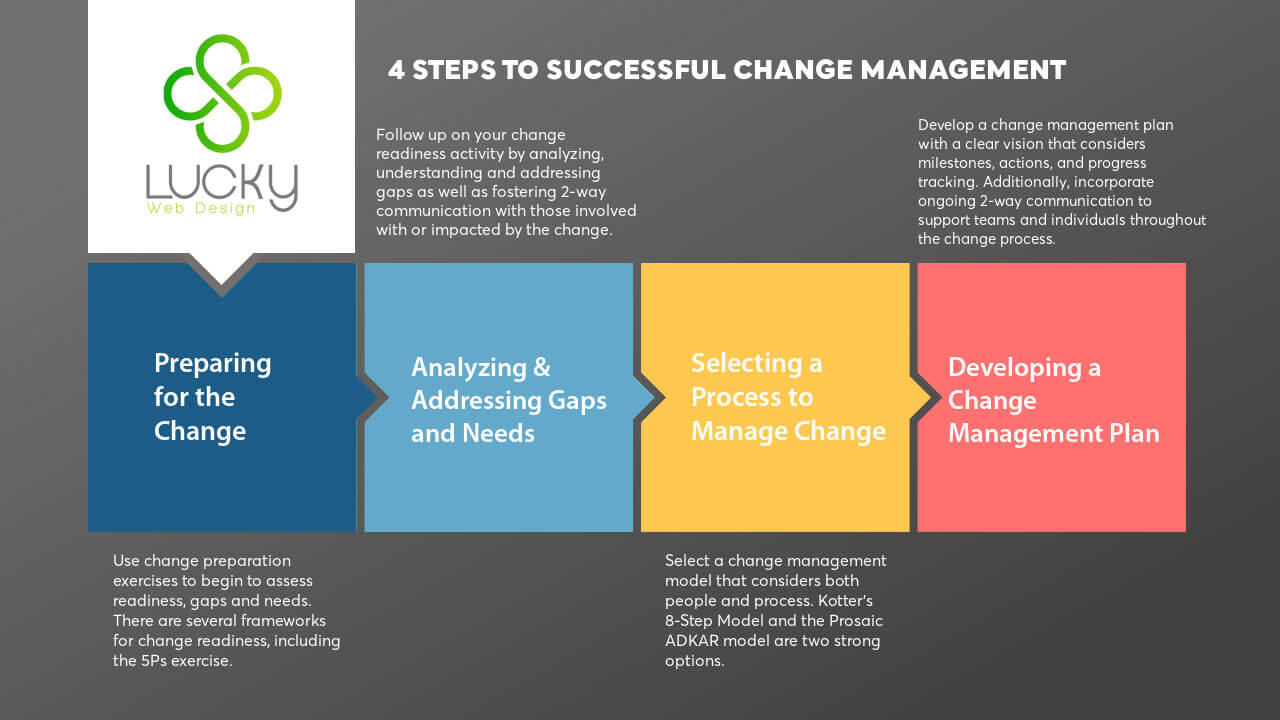
Change management cannot be delegated entirely to IT, a project manager, or an outside consultant. Organizational change research repeatedly points to leadership engagement as a prerequisite for sustained adoption [Prosci] [HBR].
Here’s the reality: if executives ask for updates that bypass the tool, employees will bypass the tool too. Culture is shaped by behavior. The project management system becomes “real” when leadership uses it to run meetings, make decisions, and prioritize work.
The Critical Role of Senior Management
Setting the Tone from the Top
Employees pay close attention to what leaders do. When executives review a dashboard in a leadership meeting, ask questions based on workload data, and reference tasks by name, the system becomes part of how the company operates—not an optional administrative layer.
In successful rollouts I’ve led or supported, executives consistently:
- Reviewed key dashboards and timelines in weekly leadership meetings
- Required that initiatives be captured as projects with owners and dates
- Made trade-offs using capacity and priority data (not gut feel)
- Celebrated visibility and execution—especially in cross-functional work
This is more than “buy-in.” It’s active participation. When leaders treat the tool as the operating system for execution, teams follow naturally.
Department Heads as Change Champions
Department heads are the linchpin between strategy and execution. If department leaders do not take a hands-on approach to workflow design, implementation, and training, it becomes almost impossible to get consistent adoption.
Every department has a unique rhythm. Marketing may run campaigns and creative pipelines. Operations may track SOPs, vendors, fulfillment, and procurement. IT may manage tickets, releases, infrastructure upgrades, and security initiatives. Trying to force one rigid structure across all departments often creates resistance and workarounds.
The key is governance with flexibility: consistent rules for accountability and reporting, paired with department-specific workflows that match reality.
Choosing the Right Project Management Platform
Choosing between Asana, Wrike, Trello, Jira, Monday.com, ClickUp, or Microsoft Planner is a common debate. But in practice, tool selection is rarely the make-or-break factor. The bigger factor is whether the organization commits to process definition and behavioral adoption.
Common Platforms and When They Shine
- Asana: Strong for cross-functional work, marketing operations, and team collaboration
- Wrike: Excellent enterprise work management, approvals, resource planning, and reporting
- Trello: Lightweight Kanban boards for simple workflows and smaller teams
- Jira: Powerful for software development, agile sprints, and structured issue tracking
Define Process Before Configuration
Before you build boards, projects, or automations, leadership should align on:
- Intake: How does work enter the system (requests, forms, backlog, email conversion rules)?
- Prioritization: Who decides what gets done first, and how often is it reviewed?
- Ownership: Who is responsible for each task, and what happens when ownership is unclear?
- Status definitions: What do statuses mean (New, In Progress, Blocked, In Review, Done)?
- Reporting: What metrics matter (cycle time, throughput, workload, overdue tasks, blockers)?
If these decisions aren’t made, the tool becomes a blank canvas—employees fill it with inconsistent interpretations, and leadership loses trust in the data.
Make the System a Key Part of Company Culture
From Optional Tool to Single Source of Truth
For a project management system to deliver real ROI, it must become the single source of truth for work. That means eliminating “shadow systems”:
- No parallel spreadsheets for task tracking
- No undocumented action items from meetings
- No “I’ll remember it” project assignments
- No status updates delivered only via email or chat
A simple rule that works: If it isn’t in the system, it doesn’t exist. It sounds strict, but it’s the fastest way to create clarity, consistency, and accountability.
Operationalize the Tool Through Meetings
Meetings are where culture is reinforced. To embed the tool into daily behavior, connect it to cadence:
- Daily/weekly team check-ins should review the board or project list
- Leadership meetings should reference dashboards and priorities
- Monthly planning should result in updated timelines, owners, and milestones
- Quarterly goals should map to initiatives in the system
When the system becomes the “language” of planning and execution, adoption stops being a training problem and becomes simply “how we work here.”
Visibility, Accountability, and Employee Wellbeing
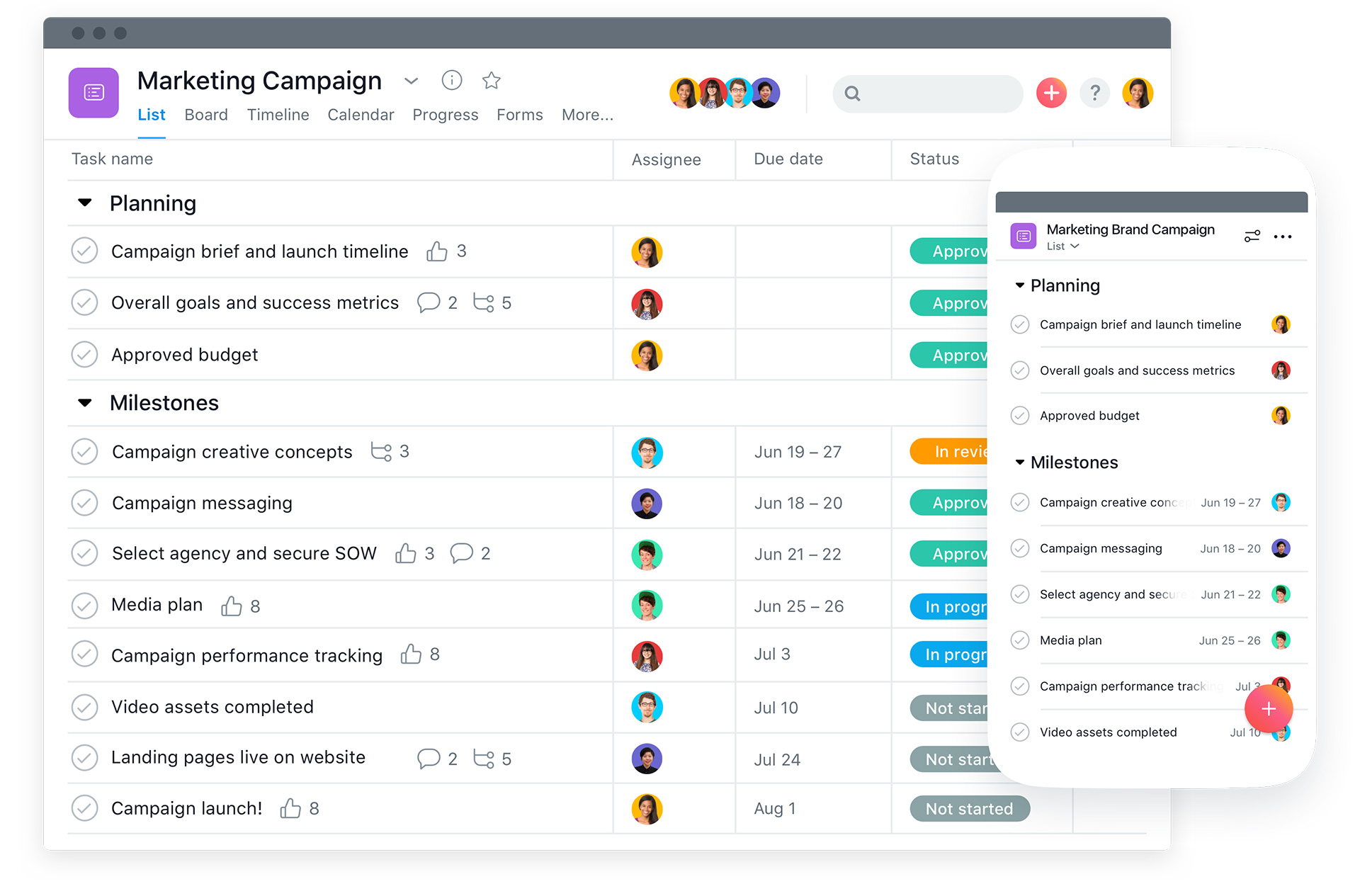
One of the most overlooked benefits of project management systems is workload visibility. Properly implemented, these tools help leadership see:
- Who is overloaded and who has capacity
- Where bottlenecks occur (approvals, dependencies, unclear ownership)
- Which work is unplanned and continuously disrupting priorities
- Who consistently delivers and should be recognized or promoted
Too often senior management is blind to their teams’ actual workload. Without visibility, leaders can inadvertently pile on too much work, negatively affecting morale and creating undue stress—conditions that contribute to burnout and turnover [McKinsey].
Use Data to Support People, Not Micromanage Them
A project management system should not become a surveillance tool. It should become a support system. When leaders use the data to remove blockers, adjust scope, rebalance workload, and protect focus time, trust improves—and adoption strengthens.
A Practical Framework for Rolling Out a Project Management System
Phase 1: Leadership Alignment and Governance
- Define what success looks like (adoption, reporting accuracy, throughput, on-time delivery)
- Agree on mandatory behaviors (where tasks live, how updates happen, meeting usage)
- Assign executive sponsorship and a clear owner for the rollout
- Establish governance: naming standards, templates, permissions, and reporting
This phase prevents the “everyone uses it differently” problem, which destroys reporting and trust.
Phase 2: Process Mapping and Workflow Design
- Map current workflows by department (intake → execution → review → done)
- Identify friction points (handoffs, approvals, duplicated work, unclear requests)
- Design a future-state workflow that matches how work should flow
- Keep it practical; avoid over-engineering on day one
I often recommend designing workflows that reduce decisions. The more your system can “guide” the user through the process with simple templates and statuses, the lower the friction.
Phase 3: Platform Configuration and Pilot
- Configure a baseline structure (teams, projects, boards, tags, custom fields)
- Build a small set of templates for repeatable work (campaigns, web builds, SOP updates)
- Run a pilot with one department or cross-functional initiative
- Collect feedback and refine before full company rollout
Pilots reduce risk. They let you uncover workflow gaps early and generate internal champions who can help train others.
Phase 4: Role-Based Training and Enablement
- Train by role: executives, managers, contributors, and admins each need different views
- Use real projects during training (not fake demo tasks)
- Provide quick reference docs and short videos for common actions
- Offer office hours during the first 2–4 weeks after rollout
Training is not a one-time event. Adoption improves when training includes repetition, real examples, and reinforcement from managers.
Phase 5: Reinforcement, Reporting, and Continuous Improvement
- Review adoption metrics weekly (active users, tasks updated, overdue trends)
- Use dashboards in leadership meetings to reinforce “this is how we run work”
- Refine templates and workflows to reduce friction and improve clarity
- Introduce automations (notifications, assignments, reminders) once behavior stabilizes
Reinforcement is the difference between a “launch” and a lasting operational change [Prosci].
AI-Driven Workflows and Automation
Today’s work management platforms increasingly support automation and AI-driven features—task generation from forms, intelligent summaries, workload forecasting, and integrated documentation.
As someone who builds AI-driven workflows and process automation, I’ll emphasize one thing: AI amplifies what you already have. If your process is unclear, AI will produce faster confusion. If your process is clear, AI can reduce administrative overhead dramatically.
Start with consistency. Then automate the repetitive parts: intake routing, recurring tasks, reminders, approvals, and status reporting.
Conclusion
Implementing a project management system is a strategic change initiative, not just a software deployment. Success depends on leadership ownership, department-head participation, thoughtful workflow design, role-based training, and ongoing reinforcement.
When done correctly, the payoff is huge: improved productivity, better accountability, clearer prioritization, higher-quality execution, and healthier teams.
Frequently Asked Questions
What is change management in a project management software rollout?
Change management is the structured approach to helping people adopt a new way of working. In a project management rollout, it includes leadership alignment, clear expectations, training, reinforcement, and process design so the platform becomes the day-to-day operating system for work.
Why do project management tool implementations fail?
Most fail because adoption is assumed instead of managed. Common causes include weak executive sponsorship, unclear workflows, inconsistent enforcement, poor training, and allowing work to continue in email, spreadsheets, and chat tools instead of the platform.
How do executives and department heads drive adoption?
Leaders drive adoption by participating in workflow design, using dashboards in meetings, holding teams accountable through the tool, and reinforcing a single source of truth. When leaders bypass the system, employees follow.
Which project management software is best: Asana, Wrike, Trello, or Jira?
It depends on your workflows. Asana and Wrike are strong for cross-functional work management and reporting, Trello is simple for visual task tracking, and Jira is excellent for software development and agile processes. The tool matters less than the operating discipline behind it.
How long does it take to implement a project management system successfully?
Many organizations see meaningful adoption in 6–12 weeks with the right approach: leadership alignment, a pilot team, role-based training, and weekly reinforcement. Larger organizations may take 3–6 months to mature across departments.
What processes should be defined before configuring the tool?
Define intake, prioritization, ownership, due dates, status definitions, approvals, handoffs, and reporting. Also decide where documentation lives, how meetings tie to dashboards, and what rules prevent shadow systems like spreadsheets.
How do you prevent employees from using email and spreadsheets instead of the tool?
Make the platform the single source of truth. Leaders must request updates from the tool, not inboxes. Build lightweight templates, reduce friction, and set rules like: if it isn’t in the system, it doesn’t exist.
How can a project management system reduce burnout and turnover?
When configured well, the system reveals real workloads, bottlenecks, and competing priorities. Leadership can rebalance capacity, reduce unplanned work, protect focus time, and recognize high performers—improving morale and retention.
Ready to Implement the Right Way?
If your organization is planning to deploy or optimize a project management system, I can help. At Lucky Web Design, we combine deep technical expertise, operational leadership experience, and change management best practices to design systems that teams actually use.
Whether you are selecting a platform, redesigning workflows, integrating AI-driven automation, or building dashboards your leadership team can trust, let’s create a solution that drives accountability, clarity, and sustainable growth. Reach out to Lucky Web Design and let’s talk about your goals.
References
- Prosci – Change Management Best Practices https://www.prosci.com
- Harvard Business Review – Managing Organizational Change https://hbr.org
- Project Management Institute – Pulse of the Profession https://www.pmi.org
- McKinsey & Company – Digital Transformation Research https://www.mckinsey.com
- Atlassian – Team Playbook https://www.atlassian.com/team-playbook